On a work's page, Plinth hangs the work on its wall and puts its wall label beside it, the way a museum does.
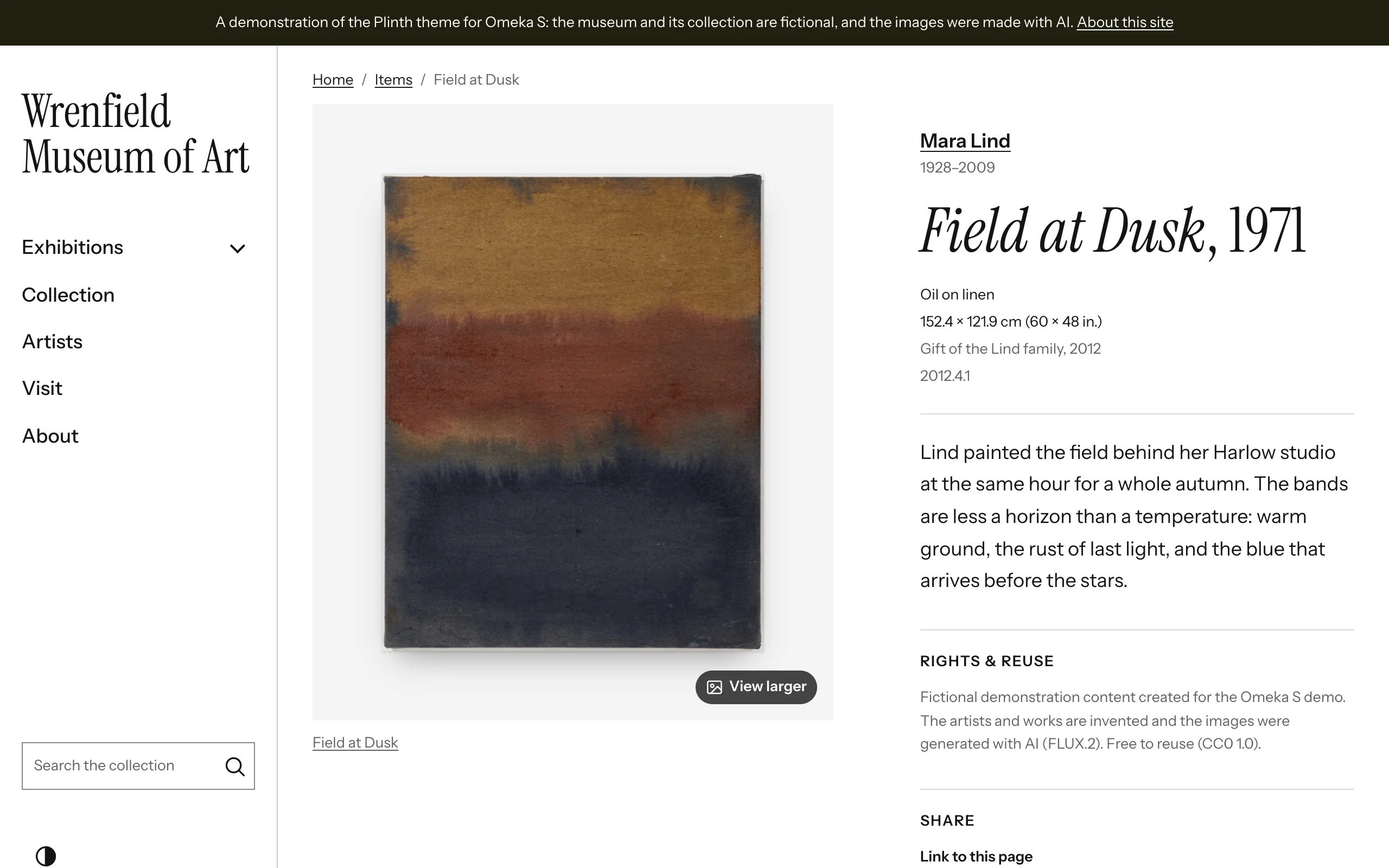
Plinth's arrangement
Plinth starts item pages from its own arrangement (Theme › Configure resource pages):
| Region | Blocks |
|---|---|
| Main column | Media gallery: the work, large, on its wall; more images as thumbnails |
| Sidebar | Wall label, Rights & reuse, Share |
| Bottom | Linked items as cards, Values (headed "Details"), Cite this, Item sets, Site pages, Previous and next in collection |
When the main column shows a work and the sidebar holds its wall label, the label is the page's visible title: the page keeps its heading for screen readers and search engines. Move the label elsewhere and the usual title returns.
Item & media pages › Item page layout puts the label on the right (the default) or the left of the work, or below it. Beside a side rail, the label goes below the work until the window is 1280 pixels wide.
Describing works for their labels
The wall label reads Dublin Core values and leaves out any line without one:
| Line | Property | Example |
|---|---|---|
| Artist | Creator | Mara Lind |
| Artist's dates | Date, on the artist's own item | 1928–2009 |
| Title and date | Title, Date | Field at Dusk, 1971 |
| Medium | Medium | Oil on linen |
| Dimensions | Extent | 152.4 × 121.9 cm (60 × 48 in.) |
| Credit line | Provenance | Gift of the Lind family, 2012 |
| Number | Identifier | 2012.4.1 |
| Label text | Abstract, else the first Description |
Artists' pages
Give each artist an item of their own, with the class Person (or Organization for a studio or collective), their dates as its Date, a short biography as its Description and, if you have one, a portrait as its media. Link each work's Creator to that item: the artist's name in a wall label then links to their page, with their dates under it.
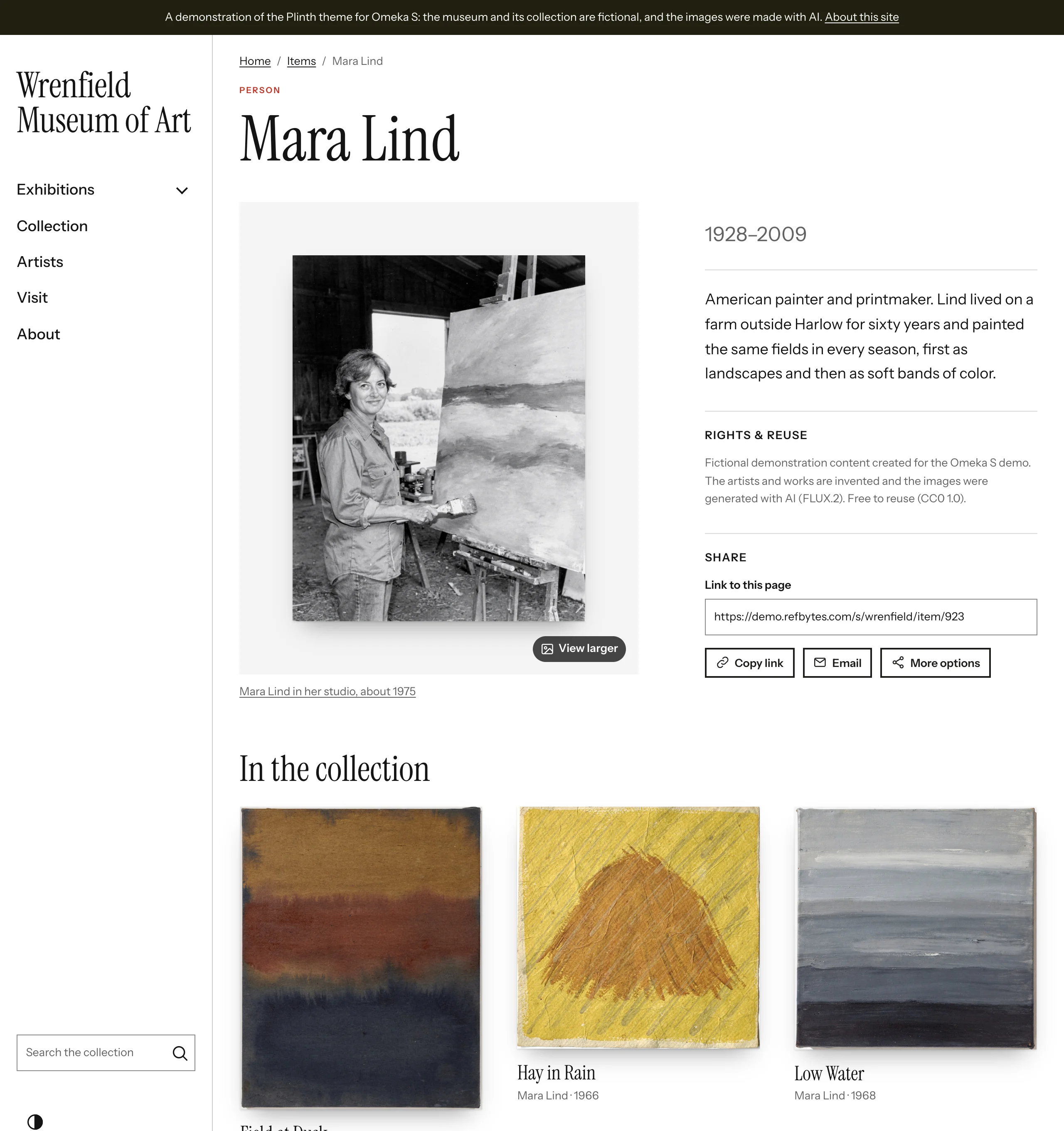
On an artist's page, the page title names them, their portrait hangs on the wall like a work, and the label beside it shows their dates and biography. Linked items as cards lists their works as a grid, headed "In the collection".
Captions in grids
Cards in grids show the artist and date under each title. Choose another caption under Artworks › Caption under each work: the class and date, the date only, or nothing.